Week
A weekly planner without deadlines.
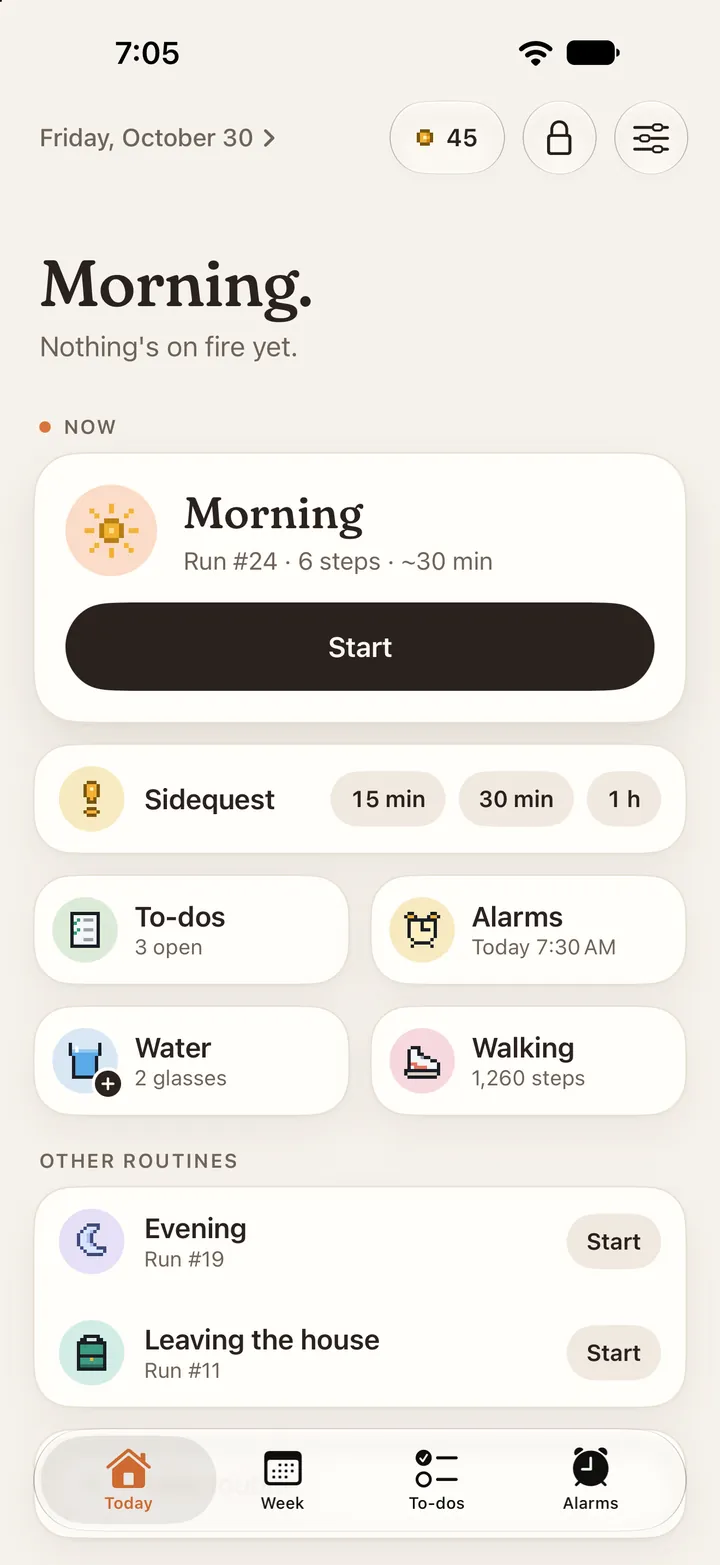
Tap the date on Home to see the next seven days. Drop a to-do into a free spot: roughly then, not a deadline. Nothing turns red when it slips.

Deadlines turn red.
A to-do with a due date is a small promise. Miss it, and it sits there in red, listing what you didn’t do. After a few of those, opening the planner feels worse than not planning at all.
Week works the other way round. You don’t set a deadline, you find a gap: Tuesday, 15:00, about 30 minutes. If it happens, nice. If not, the to-do goes back to your list without a fuss.
The next seven days, at a glance.
Week starts today and shows what’s already there, so you can see where the gaps are.
Routines and alarms
Your morning routine, the evening one, the alarm that wakes you. Each at its time.
Events and birthdays
Appointments from the calendars you pick, and birthdays that turn into a step in that day’s routine.
Dots for what’s different
Under each day, a small dot for a birthday, an appointment or a planned to-do. Ordinary days stay plain.
Quiet days stay quiet
No empty grid, no percentages. A day with nothing on shows its date and when you’re up.
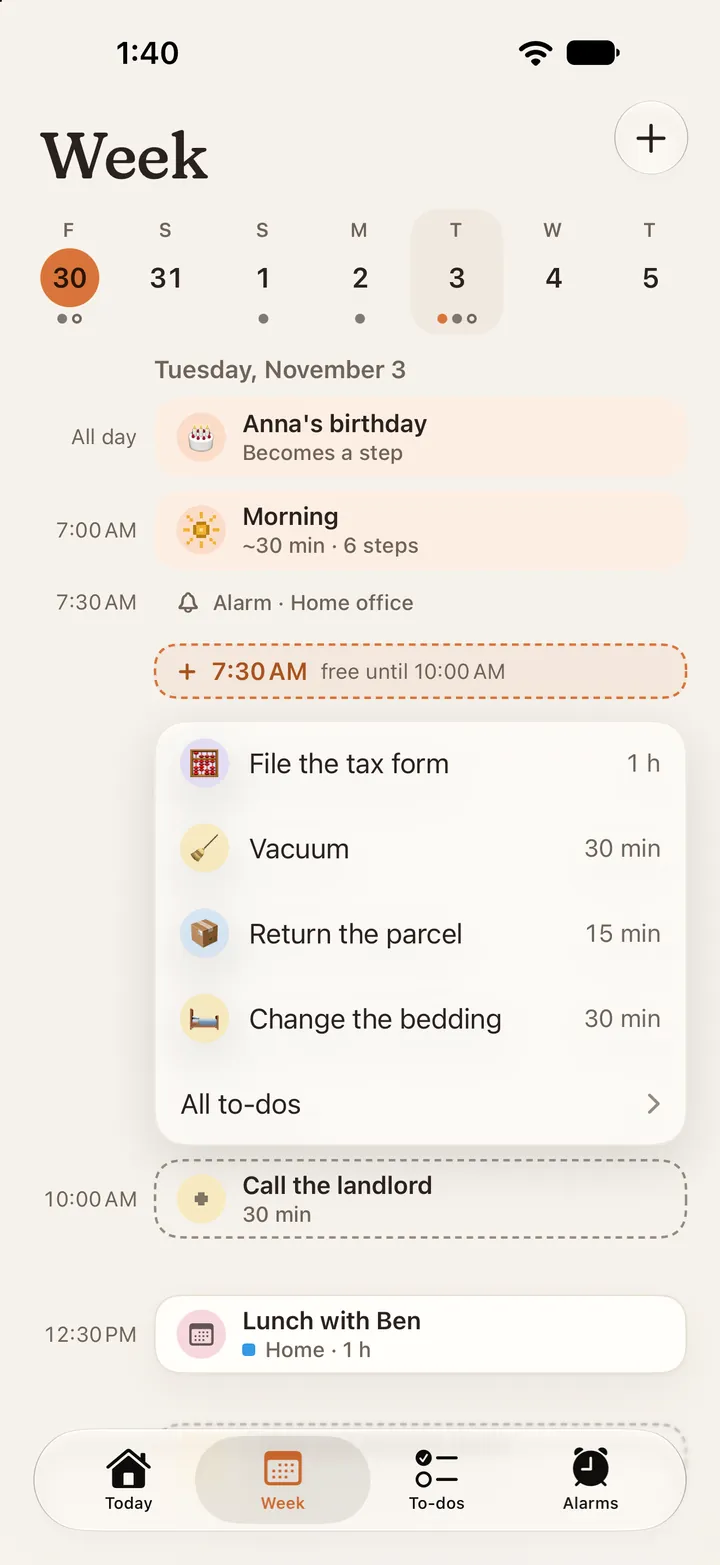
Plan a to-do into a free spot.
Tap +, pick a to-do, then tap a free time. Or tap the space between two things and see what fits there.
Roughly then
A planned to-do has a time, not a deadline. When it’s time, the reminder shows the to-do’s icon.
Only what fits
Each free spot shows the to-dos short enough for it.
Move it, don’t lose it
Hold a planned to-do to change its time, move it to another day or take it off the week. It stays on your list.
Nothing turns red
If it doesn’t happen, it fades at its time and leaves the day in the evening. No overdue list, no counting.
In your calendar app, too
If you like, planned to-dos also show up in your calendar app, in a calendar of their own.
From Reminders, too
With Plus, pick lists from Apple’s Reminders. Their open reminders become to-dos you can plan here, and done here ticks them off there.
Got 30 minutes right now?
That’s a sidequest: say how much time you have, and Not Yet picks one to-do that fits. More about routines and sidequests
Questions? Answers.
Is Week a calendar?
No, it sits next to your calendar. Week shows your routines, alarms and planned to-dos, along with events and birthdays from the calendars you pick. You plan to-dos here; appointments stay in your calendar app.
What if I don’t get to a planned to-do?
Nothing bad happens. It fades at its time and leaves the day in the evening. It stays on your to-do list, and nothing is marked overdue.
How far ahead can I plan?
Week shows today and the six days after it. That’s far enough to plan and short enough to take in at a glance.
Is it an ADHD planner?
It was built with ADHD in mind: no deadlines to miss, nothing red, and a plan you can move with one hold. It works for anyone who likes a loose plan better than a strict one.
Guides
An ADHD to-do list that works with you, not against you
Why long lists stop working, and how to keep one that’s short, visible and never turns red.
8 min readWhat to do with 15 minutes, before the phone decides for you
Fifteen minutes before a meeting, and somehow they’re gone. Why small gaps end up on the phone, and a short list that catches them.
8 min readTime blindness: when an hour is simply gone
What time blindness is, where the term comes from, and ways to make time visible with ADHD.
9 min readADHD task paralysis: when you know what to do and still can’t start
You know exactly what to do and still can’t start? What task paralysis is, and seven small ways to get the first minute moving.
9 min read