Nights · Wind down
A bedtime routine that actually ends the day.
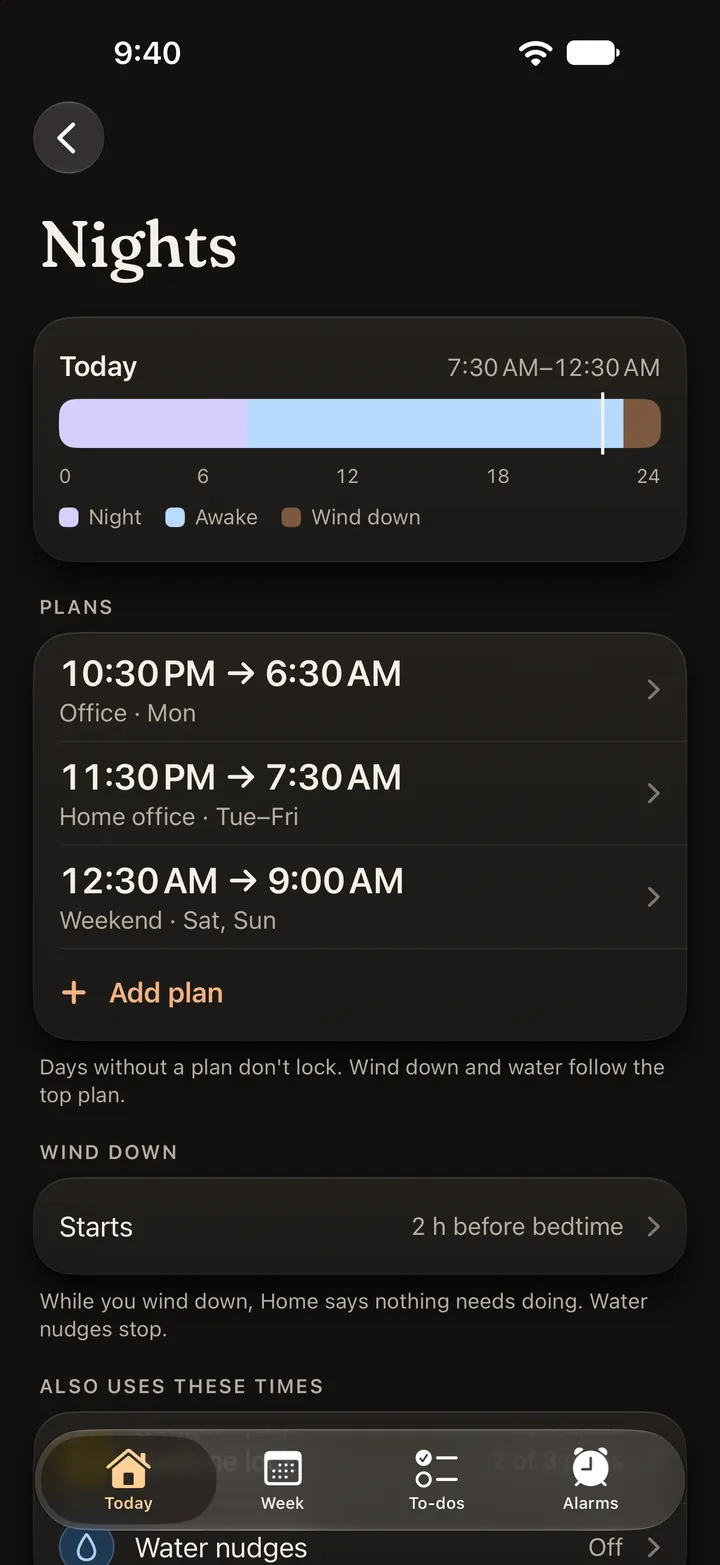
Plan your nights like alarms, one plan for each kind of day. First you wind down, then the apps you picked stay locked until you’re up.

The day doesn’t end. It fades into the feed.
Bedtime is a number you set once and then scroll right past. One more video, one more thread, and it’s one in the morning. Then the alarm rings, and the next day starts tired.
Nights gives the evening a shape: a time when things wind down, a time when the apps go quiet and a time when you’re up. You set it once. After that, the evening runs on its own.
Plans like alarms.
Every morning belongs to one plan. It starts with one plan, 23:30 to 7:00, and you add your own.
One plan per kind of day
Office days, work-from-home days, the weekend. Each plan has its own bedtime and wake-up time.
Lock apps, per plan
Choose which nights lock your apps. The weekend can stay open.
A quiet heads-up
Half an hour before the lock, a note without a sound.
Wind down first. Then lights out.
Wind down starts 30 minutes to 3 hours before bedtime, or right after your evening routine.
Home goes quiet
Home says nothing needs doing. A planned to-do you didn’t get to leaves the day and stays on your list.
Water nudges stop
Water reminders come only between getting up and winding down. Nothing pings you in bed.
An evening routine, if you like
Phone on the charger, tomorrow’s clothes, teeth, lights out. Wind down can start once it’s done.
Then the apps lock
At bedtime, the apps you picked lock, from your focus list or a list just for the night.
The alarm ends the night
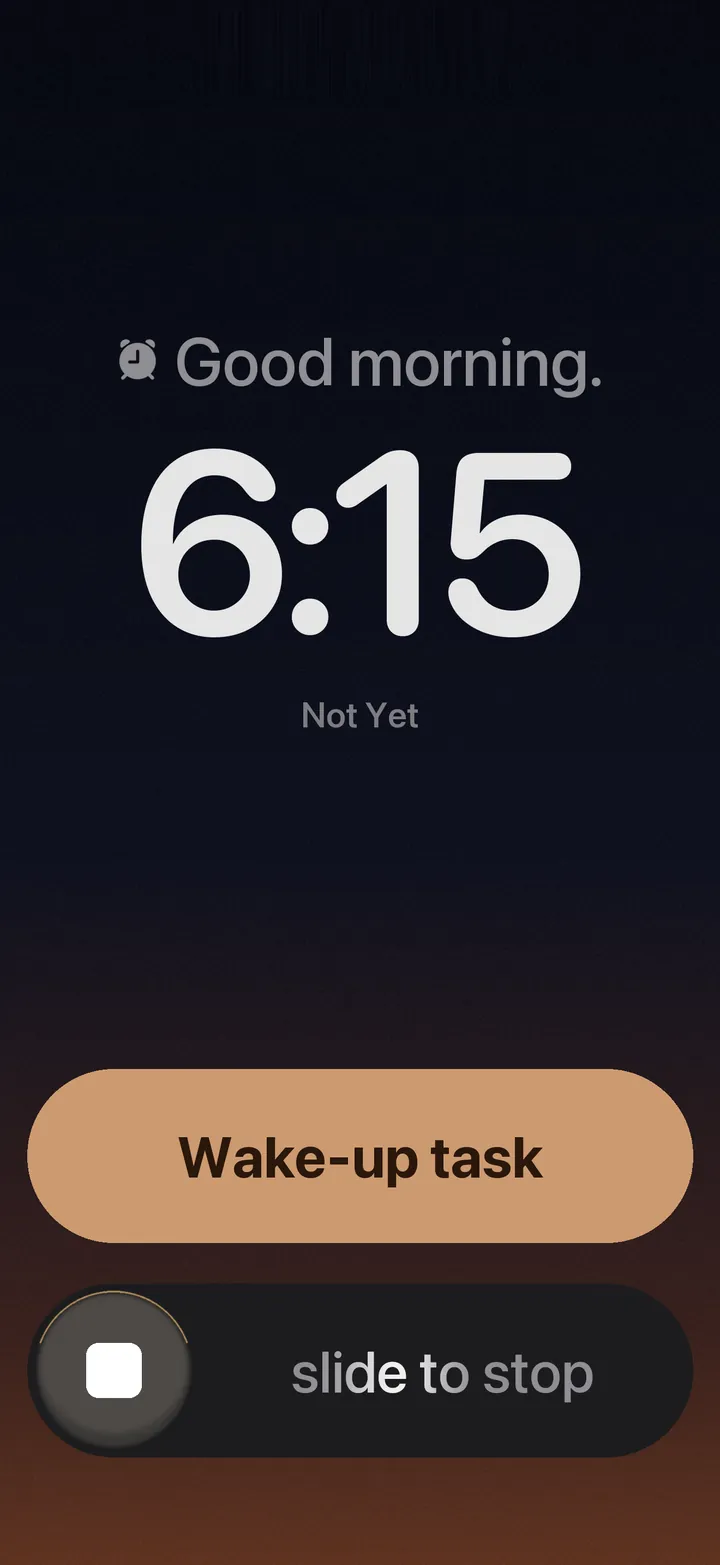
Your apps unlock at your wake-up time, or as soon as you’ve done your alarm’s wake-up task.
More about the app locks and the alarm clock.
Week knows your nights.
Week shows when you’re up on each of the next seven days, and planned to-dos leave the day once wind down starts. More about Week
Questions? Answers.
Can I set different bedtimes for weekdays and weekends?
Yes. Make a plan for each kind of day, like office days, home days and the weekend. Every morning belongs to exactly one plan, with its own bedtime and wake-up time.
What happens during wind down?
Home says nothing needs doing, water nudges stop, and a planned to-do you didn’t get to leaves the day but stays on your list. Wind down starts 30 minutes to 3 hours before bedtime, or after your evening routine.
Does it lock my whole phone at night?
No. It locks the apps you pick, on the nights you choose. They unlock at your wake-up time or once your alarm’s wake-up task is done.
Do I have to use the lock?
No. Wind down and the pause in water nudges work without it. Turn the lock on for the plans where you want it.
Is it a bedtime app for ADHD?
It was built with ADHD in mind: you decide about the evening once, ahead of time, not at midnight with your phone in your hand. It works the same for anyone who loses nights to the feed.