Made for iPhone Duo
Unfold it. Your day, on two pages.
Open, Not Yet uses both halves: Home stays on the left, and the right page shows your week, a run or your to-dos. Folded, it works like on any iPhone, with four tabs at the side.

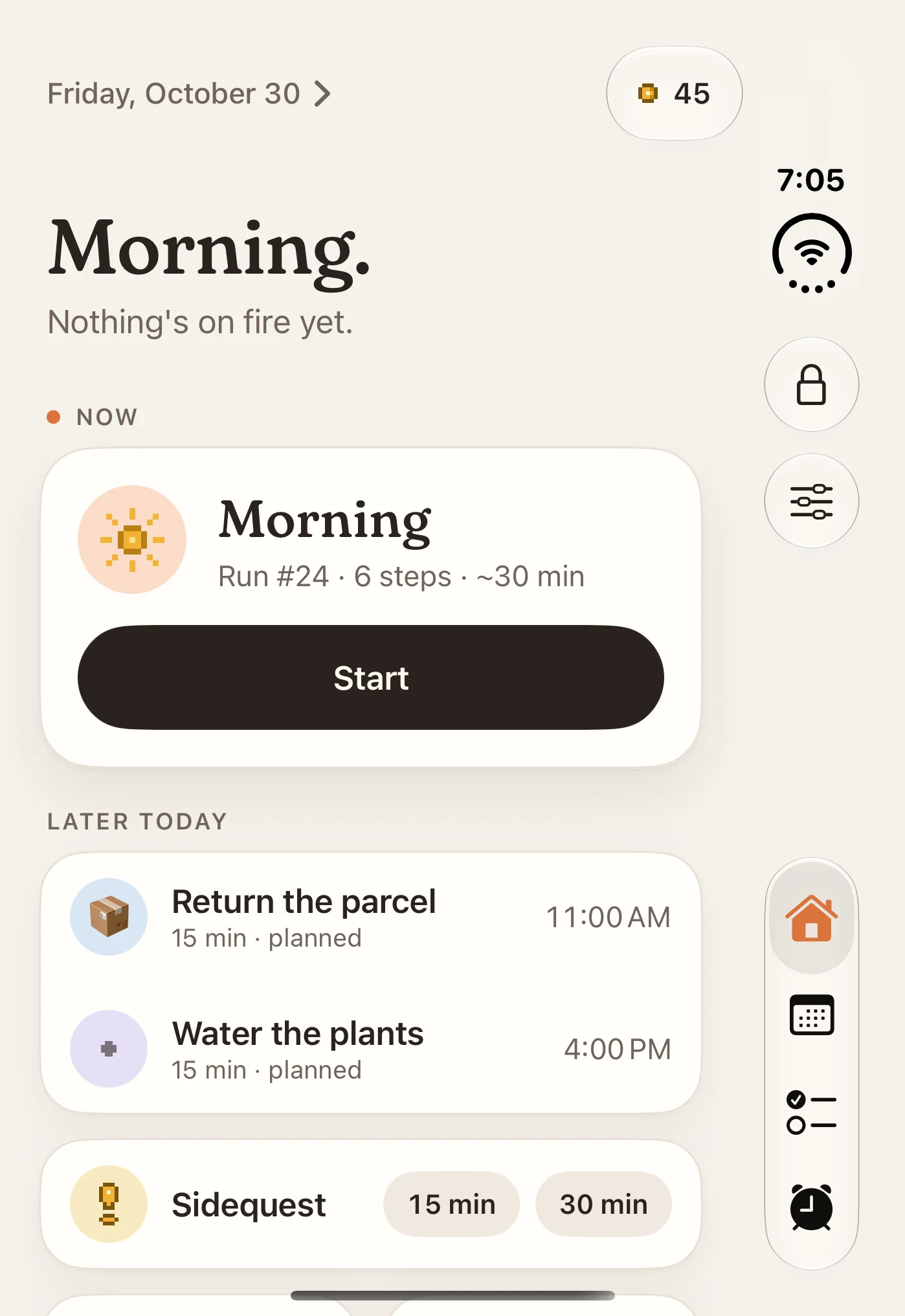
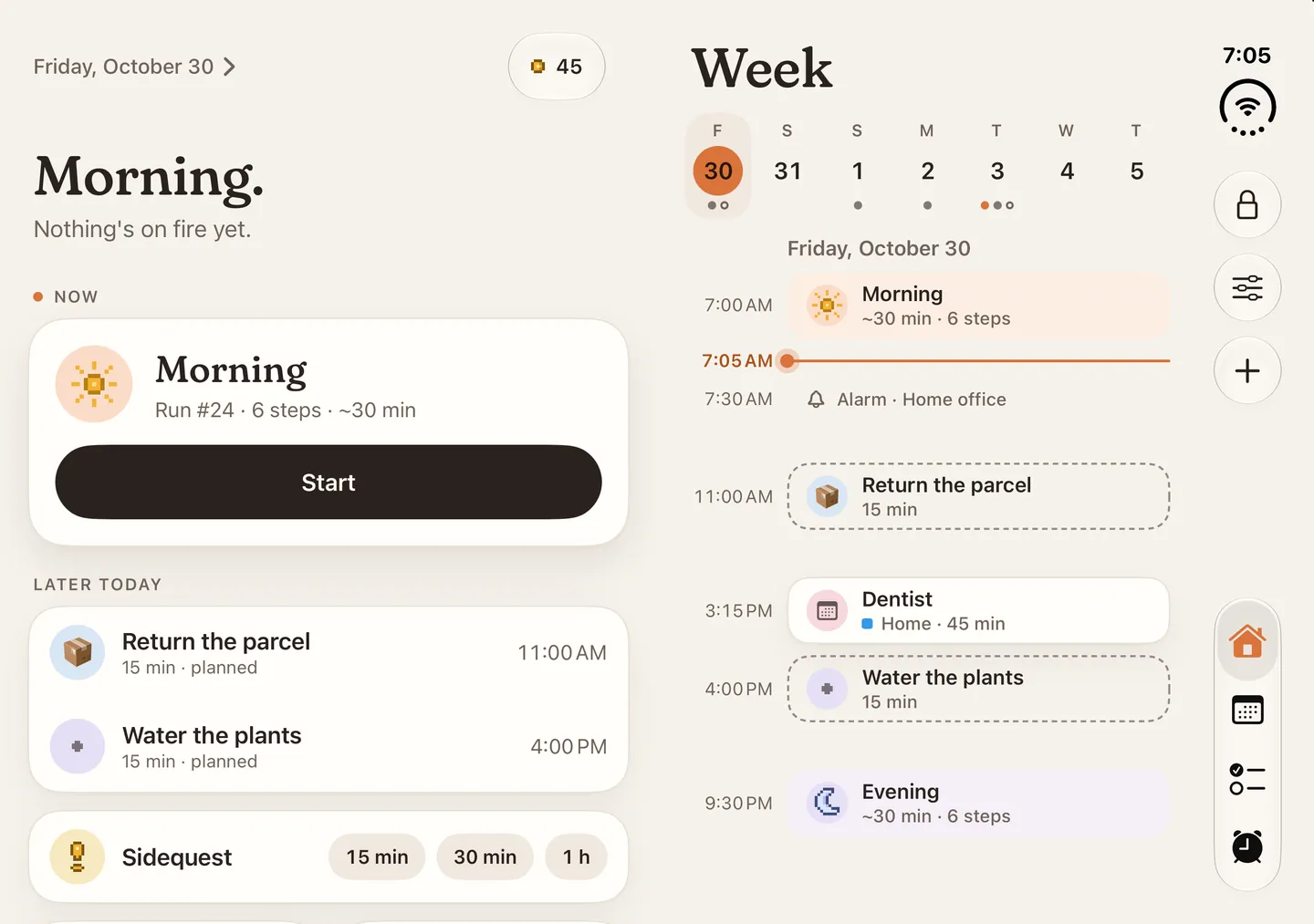
Your day on the left. Everything else on the right.
In landscape, Home always stays on the left, and whatever you choose opens on the right. By default, that’s your week.
Your week at a glance
The next seven days sit right beside today. Pull in open to-dos and drag them straight onto a time.
Every step in focus
The current step on the left, big and clear. The whole routine with all its cards on the right. At the end, the piggy bank gets a page of its own.
List and details, side by side
In To-dos, Alarms and Settings, the list stays on the left and whatever you select opens on the right. Coins puts your balance on one page and the Kiosk on the other.
Nothing sits on the fold
Water, Walking and sidequests open as a page of their own. Anything that appears on top stays to the right of the fold.
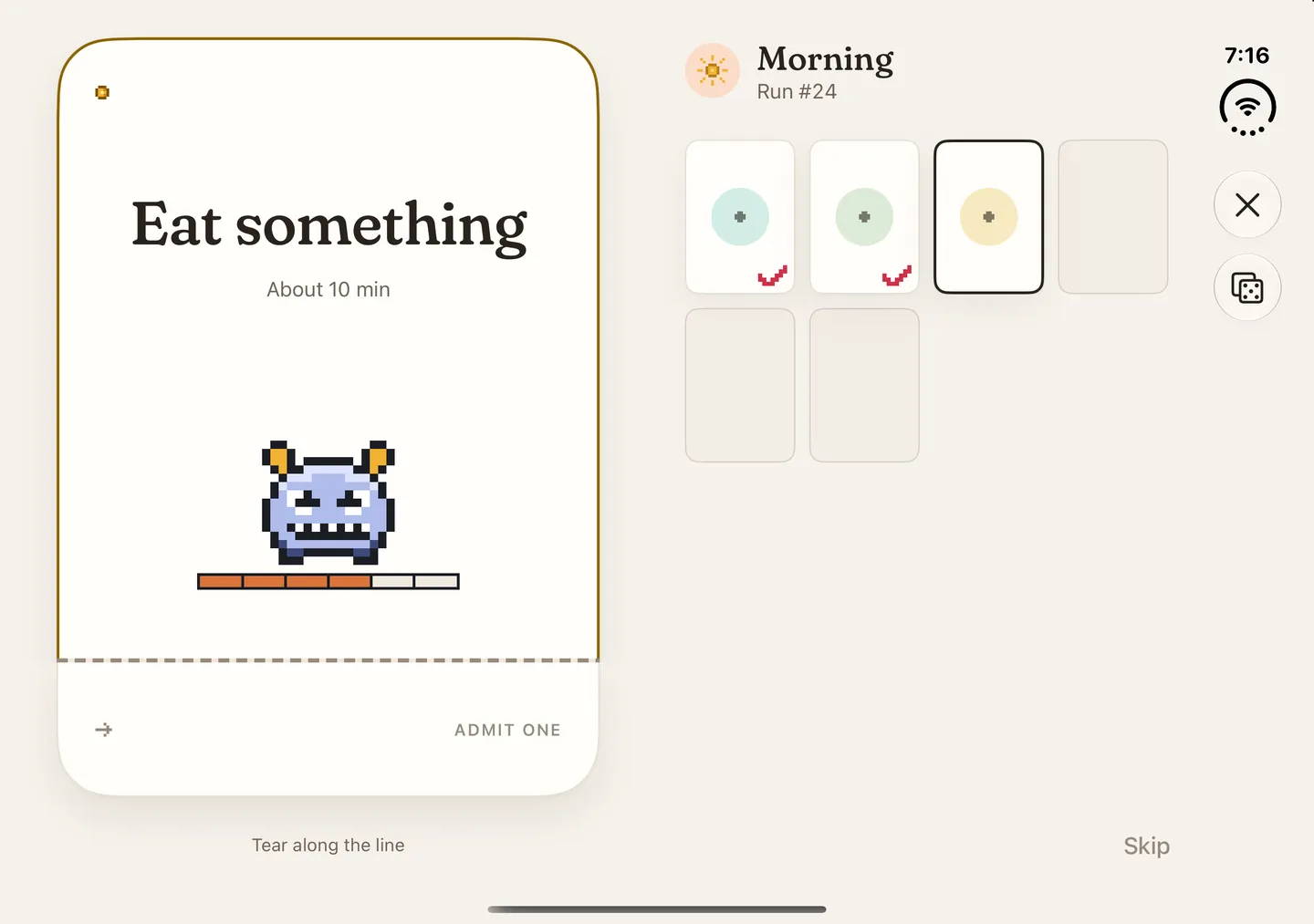
Adapts to every position.
Half open, folded or next to another app: Not Yet knows how you’re holding it.
Like a book
When it’s half open, everything moves slightly away from the fold, so every page stays easy to read.
On the table
Stand it up half open: the card on top, everything you tap below. For runs, sidequests and the wake-up task.
Folded
Four tabs at the side take you to Today, Week, To-dos and Alarms. Everything else works just as it does on any iPhone.
Fold and unfold seamlessly
Open pages, anything you’ve typed and a run in progress stay exactly where they were.
Next to another app
In split screen, Not Yet automatically switches to its iPhone layout.
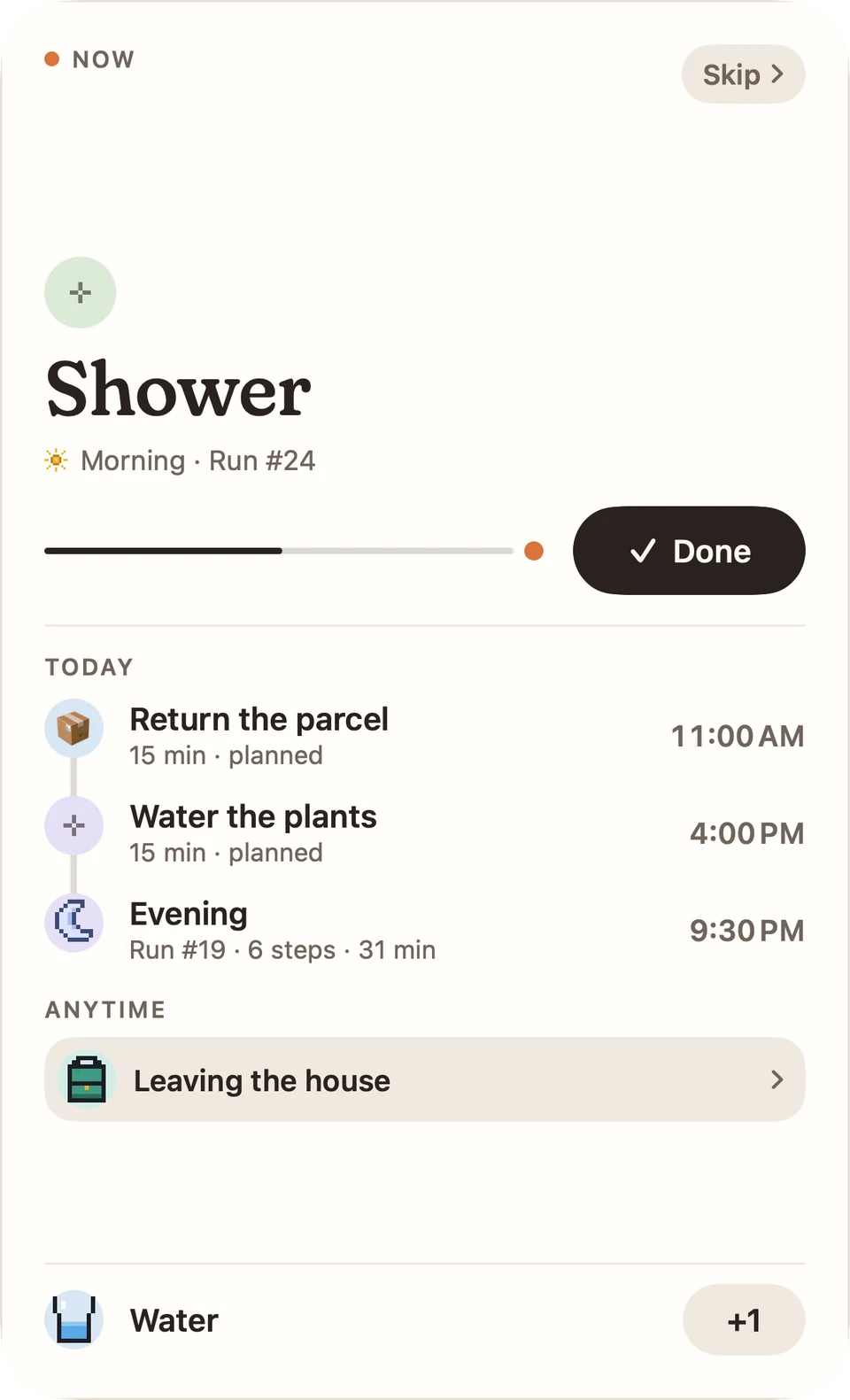
Your day as a widget. The size of a whole page.
The Today widget fills one page of the inner screen. Everything that matters, at a glance.
What’s next, always on top
A run in progress to check off or skip. A routine that’s due, ready to start. Otherwise, the next one.
The rest of the day below
Your routines, planned to-dos and sidequests ready to start.
Sidequests right in the widget
Pick a duration, do the sidequest, check it off. All without opening the app.
Water with one tap
+1 per glass, right from the Home Screen.
On other iPhones, too
With iOS 27, it fits on any iPhone as a whole Home Screen page.
Questions? Answers.
Is Not Yet made for iPhone Duo?
Yes. Since version 1.3, it uses the inner screen as two pages, follows the way you hold it when it’s half open, and has tabs when it’s folded. Nothing you tap sits on the fold.
Does anything change on other iPhones?
No. On every other iPhone, Not Yet looks and works as before. With iOS 27, the large Today widget is there for them too.
Do I lose my place when I fold or unfold it?
No. The open page, what you typed and a run in progress stay. If you fold it in the middle of a gesture, that step simply stays open.
Which apps work best on iPhone Duo?
Apps laid out for two pages, with nothing on the fold. Not Yet is one of them for routines, a wake-up alarm, a weekly plan and app locks.