Wake-up alarm
An alarm that gets you out of bed, not just awake.
Most alarms stop with one tap, and you can manage that without waking up. This one goes quiet only after a short wake-up task, so by the time it’s off, you’re up.

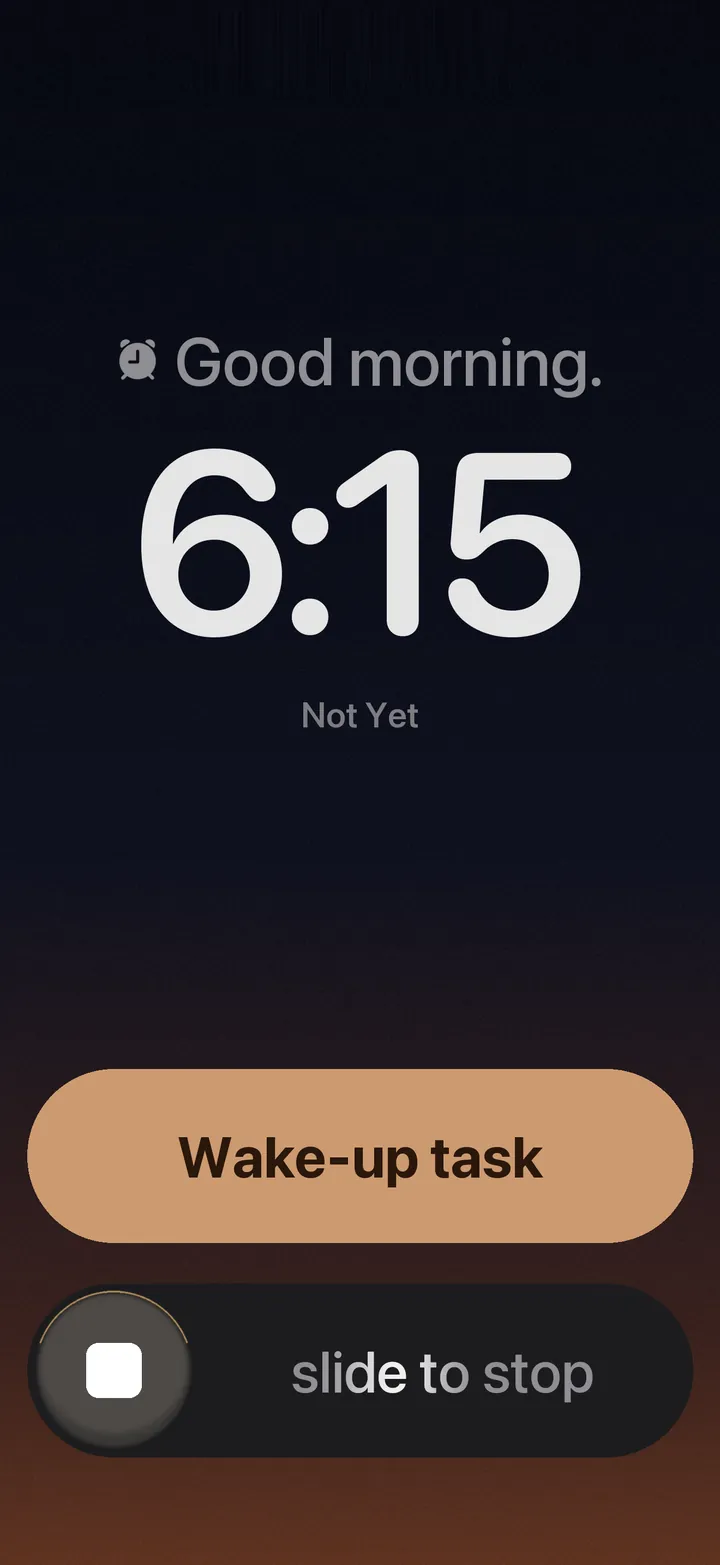
Snooze wins most mornings.
Half asleep, you can find the snooze button with your eyes closed. Five more minutes turns into an hour, and you never really decided anything. After a few weeks of the same tone, it gets easy to sleep right through it, too.
Not Yet takes the snooze out and puts one small task in. Nothing hard. Just enough that your head has to switch on before the alarm switches off.
How it works
Set as many alarms as you like, with days and a name, like in the Clock app.
It rings, even on silent.
Through silent mode and any Focus, with a different tone each time, so your ears don’t tune it out.
Stopping isn’t the end.
Slide to stop or press a button, and it rings again a few seconds later. There’s no snooze.
Do the wake-up task.
Tap “Wake-up task” and Not Yet opens a short task. While it’s open, the alarm stays quiet. Leave the app, and it rings again. Get one wrong and you simply get a new one. No red, no counting.
Then it’s quiet.
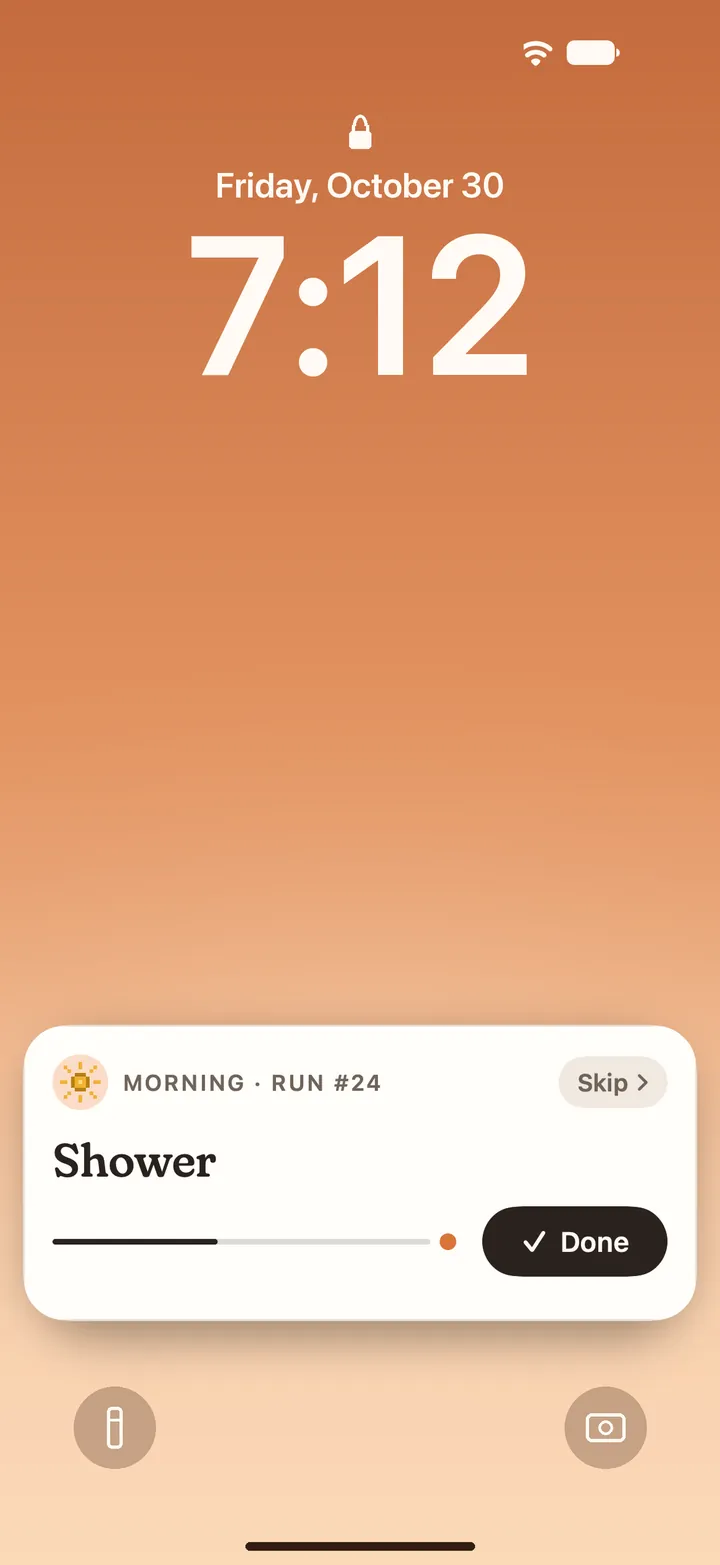
The alarm is off. If you picked a routine for after the alarm, it starts right away, and you can check off its steps on the Lock Screen.
Pick your wake-up tasks.
Choose which kinds can come up. Each time, one is picked at random, never the same one twice in a row, and you only find out which when it rings.
Math
Three sums in a row: plus, minus, times or divided by.
Order
Five numbers in order, from a random start like 47. Three times.
Quick hands
Five quick ones in a row, like a tear, a stamp or a tap.
Shake
About a minute of shaking.
Steps
Walk 30 steps. To the kitchen and back works.
Scan an NFC tag
Your NFC tag, say by the bathroom sink. You have to get out of bed for that one.
First morning step
The first step of your routine after the alarm.
Pairs with Bedtime lock.
If your apps lock at night, a finished wake-up task can unlock them, so the night ends when you’re actually up. More about the app locks
Questions? Answers.
Does the alarm ring when my iPhone is on silent?
Yes. It rings through silent mode and through any Focus. The volume follows Ringtone & Alerts in your iPhone’s settings, so make sure that isn’t turned all the way down.
Is there a snooze button?
No. Stopping it only ends that ring. It rings again a few seconds later, until the wake-up task is done. If nobody does it, it gives up after an hour.
What tasks can the alarm ask for?
Three sums with plus, minus, times or divided by, five numbers tapped in order, five quick moves with your fingers, about a minute of shaking, walking 30 steps, scanning an NFC tag or the first step of your morning routine. You pick which ones can come up.
Can it start my morning routine?
Yes. Pick a routine for after the alarm. Once the task is done, it starts as a run with the first step ready, and you can check off steps right on the Lock Screen.
Is it a good alarm clock for ADHD?
It was built with ADHD in mind: no snooze to bargain with, and tasks short enough for a foggy head. It works the same for anyone who sleeps through alarms.
Is it a good alarm for heavy sleepers?
It’s made for people who sleep through ordinary alarms: it rings through silent mode with a different tone each time, has no snooze and stops only once your head has done a small task. If you need to get out of bed for it, pick the NFC tag.
Guides
Time blindness: when an hour is simply gone
What time blindness is, where the term comes from, and ways to make time visible with ADHD.
9 min readSleeping through your alarm: why it happens and what helps
Why alarms stop working, what research says about snoozing, and what helps you get up, with or without ADHD.
9 min read