Focus lock · Bedtime lock · Coin lock
Lock the apps that pull you away.
Focus lock blocks distracting apps while you work. Bedtime lock keeps them locked at night, until you’re up. Coin lock opens them only for coins you earn. You decide once, ahead of time.

Willpower makes a bad lock.
You pick up your phone to check the time, and forty minutes later you’re still scrolling. At night it’s one more video, then another. Saying no every single time is the hard part.
An app blocker says it for you. You decide once, in advance. When the moment comes, the app doesn’t open, and there’s nothing to negotiate.
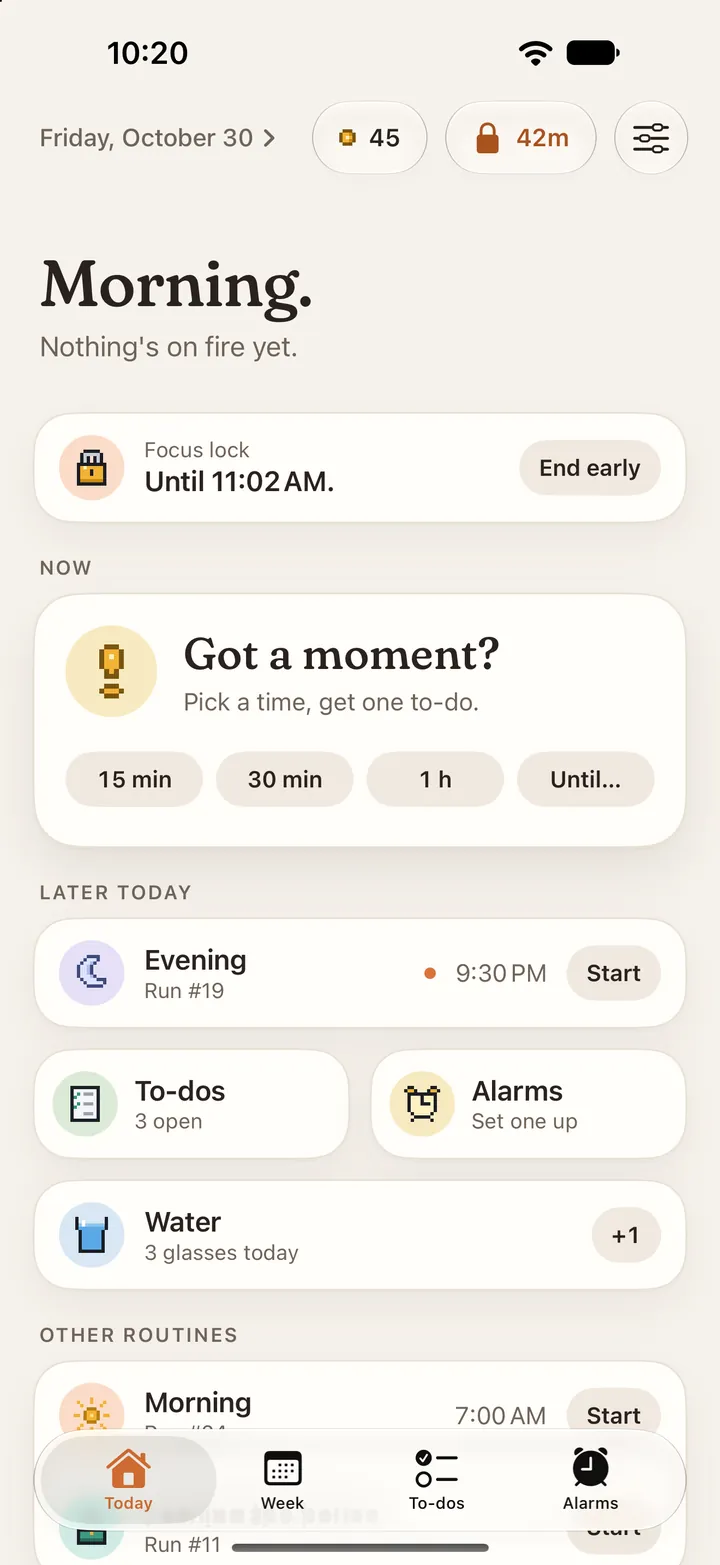
Focus lock: for the next hour.
For work, studying or anything else that needs your attention for a while.
Allow a few, or block a few.
Keep only what you need, like Messages, Maps and Music, or lock just the apps that pull you away: social, games, video. Websites you pick count the same way.
Start it in one tap.
Tap the lock on Home and pick how long, from 15 minutes to 4 hours. Or press and hold the app icon for 25 or 50 minutes.
Or with every routine.
Turn it on for runs and sidequests. It locks while your routine is on and ends when you’re done.
Bedtime lock: until you’re up.
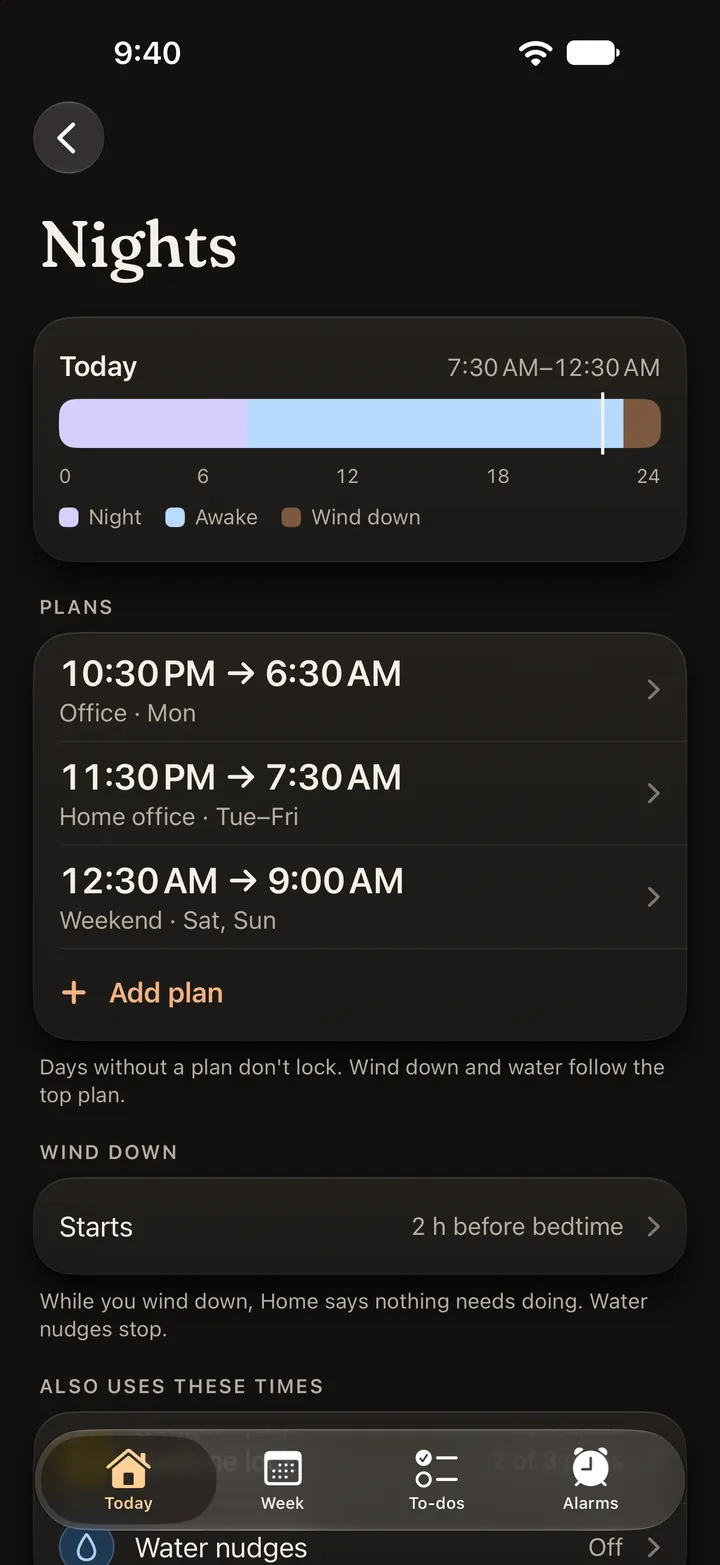
Plan your nights like alarms: one for weekdays, one for the weekend. 23:30 to 7:00 to start with, and a quiet heads-up half an hour before.
Wind down first.
Before bedtime, Home says nothing needs doing and water nudges stop. Then the apps you picked lock, from your focus list or a list just for the night.
Ends when you’re up.
Your apps unlock at your wake-up time, or as soon as you’ve done your alarm’s wake-up task.
Firmer, with an NFC tag.
Make an NFC tag your key and stick it somewhere you have to get up for, like the bathroom mirror. Then only that tag ends the night.
Not Yet stays open.
It locks the apps you pick, not the whole phone. Leave Clock unlocked so you can set your alarm.
Or let apps cost coins.
Coin lock keeps the apps you pick locked all day. They open with coins you earn by doing your routine and your to-dos. More about Coin lock
1 coin, 1 minute.
“Use 15 min” opens them for 15 minutes of use, shared by all of them.
Earned, never bought.
Coins come from steps, to-dos, water and walking. You can’t pay for them.
Off takes 30 seconds.
Turning it off, even just for today, means holding for 30 seconds.
The other locks come first.
During Focus lock and at night, those apps stay locked, coins or not.
Two apps without paying.
Plus adds any number of apps, categories and websites.
Not Yet never sees your apps.
You pick them in Apple’s own picker, and iOS keeps your choice on your iPhone in a form Not Yet can’t read. Which apps you use never leaves your phone. No account, no ads.
Questions? Answers.
Can it lock apps at night?
Yes. Bedtime lock locks the apps you pick on the nights you planned, until your wake-up time or until your alarm’s task is done. With an NFC tag as your key, only that tag ends the night.
Which apps can I lock?
Any apps and app categories you pick, plus websites. Either lock just those, or lock everything except the few you allow.
Can Not Yet see which apps I use?
No. The picker belongs to iOS, and Not Yet only gets a list it can’t read. Nothing about which apps you use leaves your iPhone.
Does it work as an NFC app blocker?
Yes, at night. Make any NFC tag the key for Bedtime lock and stick it somewhere you have to get up for. In the morning, only that tag unlocks your apps.
Is it an app blocker for ADHD?
It was built with ADHD in mind: the decision happens once, ahead of time, instead of every time you reach for your phone. It helps anyone who loses evenings to the feed.
Can I block Instagram or TikTok?
Yes, with any of the locks. Focus lock closes them for a set time, Bedtime lock from bedtime until you’re up, and Coin lock opens them only for coins you’ve earned.
Guides
Screen time as a reward: how it works for adults, and when it backfires
Feed after the to-do: how earning your own screen time works, the ways to set it up, and when it backfires.
9 min readWhen the day won’t end: how to stop scrolling in bed
Why the evening frays into the feed, and how to give it a real ending, with or without an app.
9 min read